


How to Set Up a Professional Teaching Studio: A Complete Guide

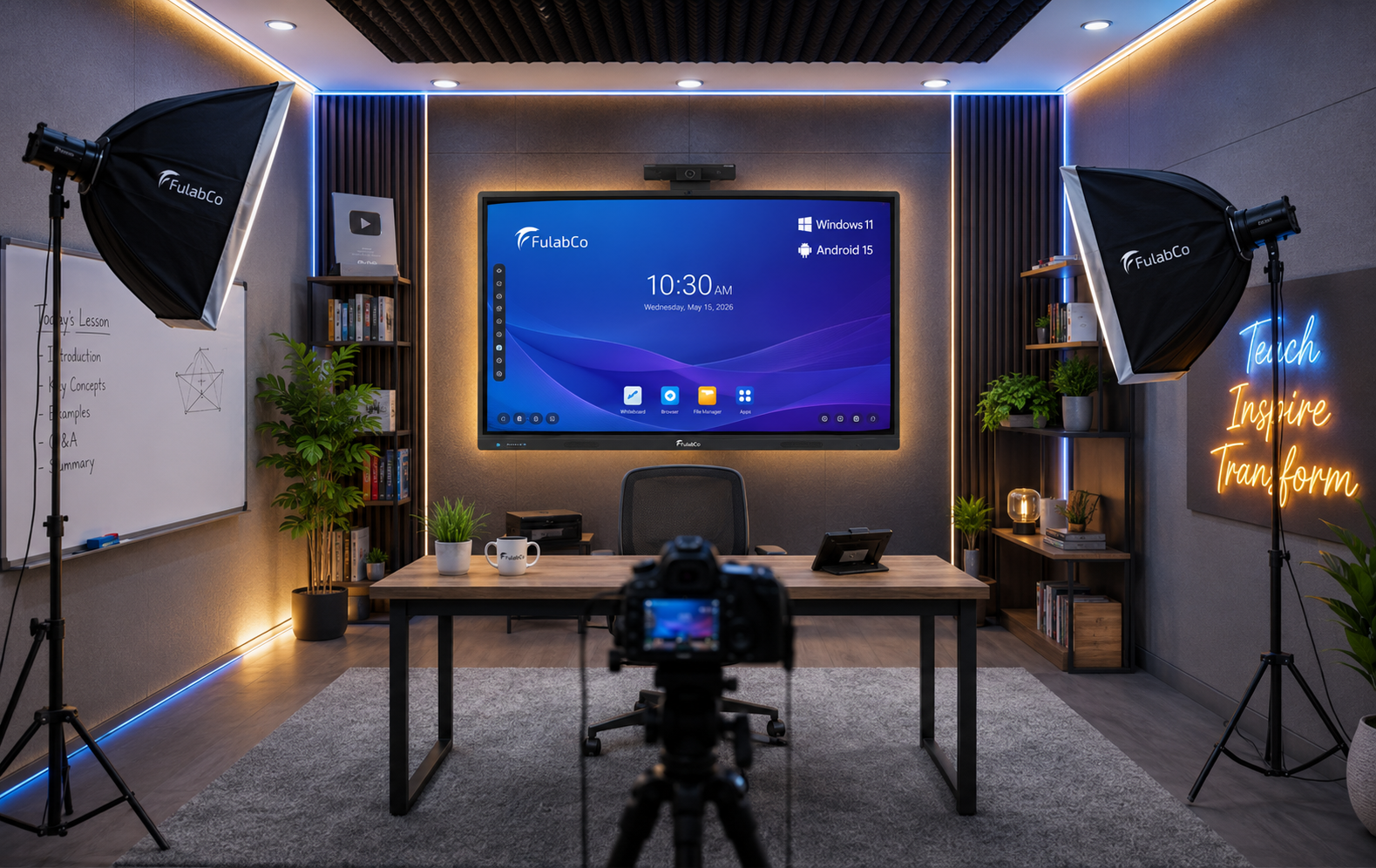
Great Teaching Deserves a Great Studio
How to Set Up a Professional Teaching Studio: A Complete Guide
Great Teaching Deserves a Great Studio
Online education has become a permanent part of modern learning. Whether you’re teaching students through Zoom, recording courses for YouTube, or conducting live classes on an LMS platform, the quality of your teaching environment matters just as much as the quality of your lessons.
Many teachers assume that setting up a teaching studio simply means buying a camera and a laptop. In reality, a professional teaching studio is a combination of carefully selected equipment, proper room planning, lighting, acoustics, and workspace design.
A well-designed studio doesn’t just improve video quality—it helps students stay engaged, builds trust, and creates a more enjoyable learning experience.
Why Many Teachers Struggle to Build a Studio
One of the biggest challenges is knowing what to buy.
The market is full of products with different prices, specifications, and brands. Without technical knowledge, it’s easy to spend money on equipment that doesn’t work well together.
Some teachers purchase an expensive camera but ignore lighting.
Others invest in a smart board but choose a low-performance model that becomes slow after a few months.
Sometimes, everything is purchased from different suppliers, resulting in compatibility issues, unnecessary expenses, and a workspace that looks unorganized.
This is why planning should always come before purchasing.
Essential Components of a Professional Teaching Studio
- Interactive Flat Panel (Smart Board)
For teachers who regularly explain lessons, solve problems, or annotate presentations, an Interactive Flat Panel has become one of the most valuable tools.
It allows educators to write naturally, display presentations, annotate documents, and interact with digital content in real time.
However, not all interactive displays offer the same experience.
When choosing a smart board, consider:
Processor performance
RAM and storage
Touch response
Display quality
Windows and Android support
Screen size suitable for the room
Choosing a device based only on price often leads to slow performance, application crashes, or delayed touch response during live classes.
- Professional Lighting
Lighting is one of the most important elements of a teaching studio.
Even the best camera cannot produce high-quality video under poor lighting conditions.
Improper lighting can cause:
Dark facial appearance
Harsh shadows
Screen reflections
Washed-out colors
Low video quality
Depending on the room size, different lighting combinations may be required.
These commonly include:
LED Panel Lights
Softboxes
Fill Lights
Background Lights
Every room is different, so lighting should always be planned according to the available space and teaching position.
- Soundproofing & Acoustic Treatment
Audio quality has a direct impact on student engagement.
Background noise, echo, and sound reflections make lessons difficult to follow, regardless of how good the video looks.
Basic acoustic treatment can significantly improve recording quality by reducing:
Echo
Reverb
Outside noise
Room reflections
A quieter room creates a much more professional learning experience.
- Camera
A professional camera provides:
Better image quality
Faster autofocus
Accurate colors
Smooth video recording
The ideal camera depends on teaching style, room size, and recording requirements.
- Microphone
Students can forgive average video quality, but poor audio quickly becomes distracting.
A dedicated microphone ensures:
Clear voice
Reduced background noise
Better communication
More professional recordings
- Computer
Teaching software, recording applications, presentation tools, and editing software require a capable computer.
A slow computer can result in:
Lag
Recording failures
Long rendering times
Poor streaming performance
Choosing balanced hardware is just as important as selecting the right camera.
- Desk & Workspace
A clean and organized workspace improves productivity.
A proper setup usually includes:
Comfortable desk
Ergonomic chair
Monitor placement
Keyboard and mouse
Cable management
Since teachers often spend several hours teaching, comfort should never be overlooked.
- Power, Cooling & Accessories
Several smaller components are equally important:
Stable power supply
Surge protection
Air conditioning
Camera stand
Microphone arm
Cable organizers
Floor mat
Decorative background
Although these items may seem minor, together they create a professional and reliable teaching environment.
Should You Build It Yourself?
If you already understand studio design, audio, lighting, and equipment selection, you may be able to build your own studio.
However, for most educators, the process can be time-consuming and confusing.
Buying products from different stores often leads to:
Incompatible equipment
Higher overall costs
Installation problems
Poor room planning
Difficult cable management
In many cases, a professionally planned setup actually saves money by preventing unnecessary purchases and costly mistakes.
A Complete Solution Can Make the Process Easier
Instead of purchasing every item separately, many educators now prefer working with companies that provide complete studio setup services.
A professional team can evaluate the room, recommend suitable equipment, design the layout, install everything correctly, and provide training on how to use the technology effectively.
This approach is often faster, more organized, and more cost-effective than managing everything independently.
How FulabCo Helps Teachers Build Professional Studios
If you’re looking for a complete teaching studio solution in Bangladesh, FulabCo offers an end-to-end service designed specifically for educators.
Unlike businesses that only sell individual products, FulabCo helps teachers plan, build, and optimize an entire teaching environment.
The process begins with a room assessment, where engineers evaluate the available space, take measurements, and understand your teaching requirements. Based on this, the team prepares a 3D studio design, allowing you to visualize the final setup before installation begins.
FulabCo also manufactures its own range of Interactive Flat Panels and Interactive Projectors, while sourcing additional equipment according to each client’s needs and budget. Whether it’s lighting, soundproofing, cameras, computers, studio furniture, cable management, or accessories, everything can be planned as a complete solution.
After installation, the support doesn’t end. Teachers receive guidance and training to ensure they can confidently use every piece of equipment and get the best results from their studio.
The goal is simple: to make professional teaching studios more accessible, more organized, and more affordable for educators across Bangladesh.
Final Thoughts
A professional teaching studio is no longer a luxury—it’s an investment in better teaching and better learning.
With thoughtful planning, the right equipment, and expert guidance, educators can create a studio that delivers clear audio, engaging visuals, and a professional experience for every student.
Whether you build it yourself or work with an experienced team, taking the time to plan properly will save money, reduce frustration, and ensure your studio continues to perform well for years to come.
XTEMOS ELEMENT